 BrowserPilot
Install BrowserPilot
Free · version 1.23.0 · Chrome, Edge, Brave, Vivaldi and other Chromium browsers on Windows, macOS and Linux
BrowserPilot is on its way to the Chrome Web Store. Until then, install it in one minute with the steps below.
-
Unzip it
Unzip the download. You get a folder named BrowserPilot. Keep it somewhere permanent, such as Documents: Chrome loads the extension from this folder.
-
Open the extensions page
In a new tab, open
chrome://extensions(Edge:edge://extensions, Brave:brave://extensions) and switch on Developer mode at the top right. -
Load the folder
Click Load unpacked and choose the BrowserPilot folder. A welcome page opens. Pin the BrowserPilot icon from the puzzle-piece menu so it is always one click away.
-
Connect your AI
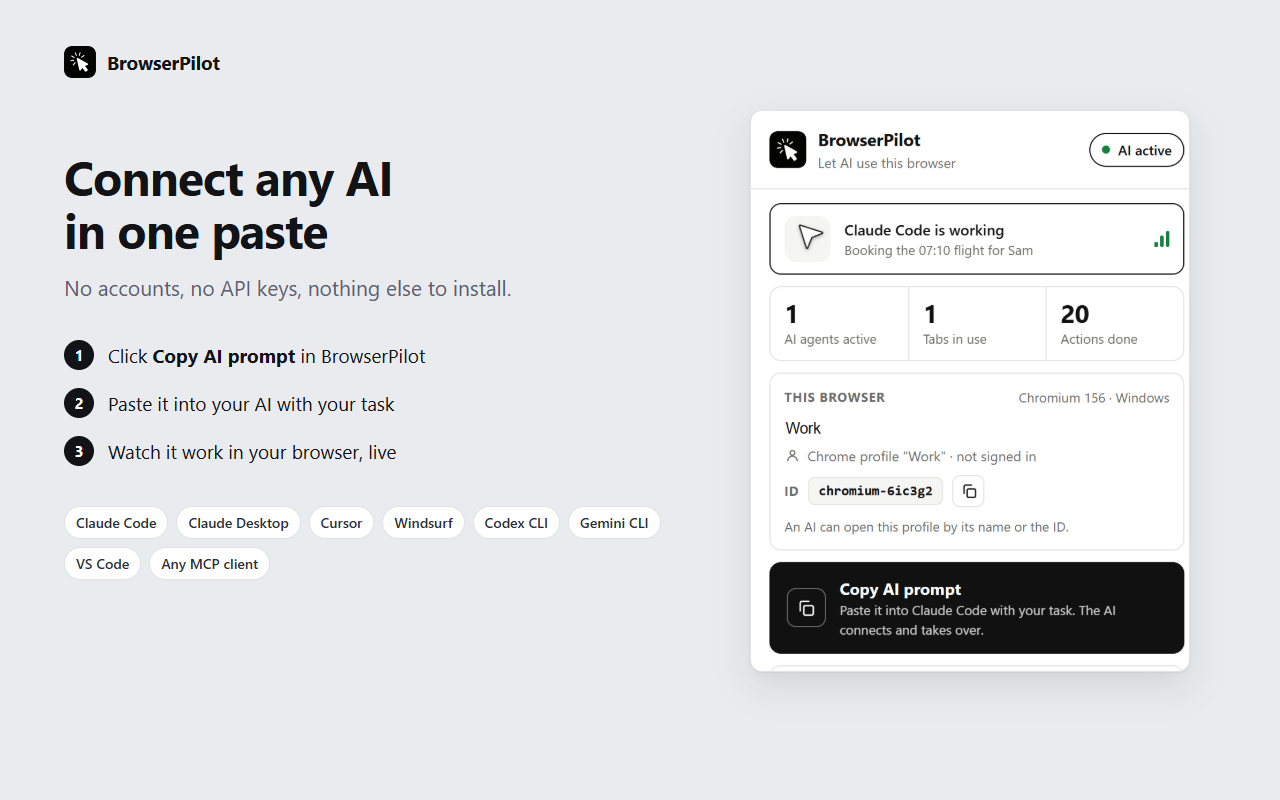
Click the BrowserPilot icon and press Copy AI prompt. Paste it into Claude Code, Cursor, Codex, Gemini CLI or any agent, add your task, and send. The AI connects by itself and you watch its cursor work.
Good to know
- One profile at a time. Chrome installs extensions per profile. Repeat the steps in every Chrome profile the AI may use.
- Node.js 18 or newer is needed on the computer where the AI runs, for BrowserPilot's small bridge program. Most developer machines have it; if not, get it from nodejs.org.
- Updating: download the new version, replace the files in your BrowserPilot folder, then press the reload arrow on BrowserPilot's card in
chrome://extensions. - Private by design: no account, no servers. Read the privacy policy.
Questions? Contact us.